ConvertVecta

Convert anything - units, time zones, calendars, money, code

Live Android · Chrome

Get it on Google Play User guide

170 categories3,651 units25 languages11 calendars100% on-device

Ask in plain English and convert anything - “how many ml in 2 cups”, “3pm Karachi to Los Angeles”, “350 °F to °C”. A chat-first, fully on-device conversion atlas: 170 categories and 3,651 units, a DST-correct world clock, 11 calendars, coordinates, colour, encodings and size charts - with premium interactive instruments. No accounts, no ads, no tracking; calculations run locally and the optional Pro purchase uses the network only for purchase verification, restore, and refund enforcement.

From the build

Real screenshots from the current development build, not mockups.

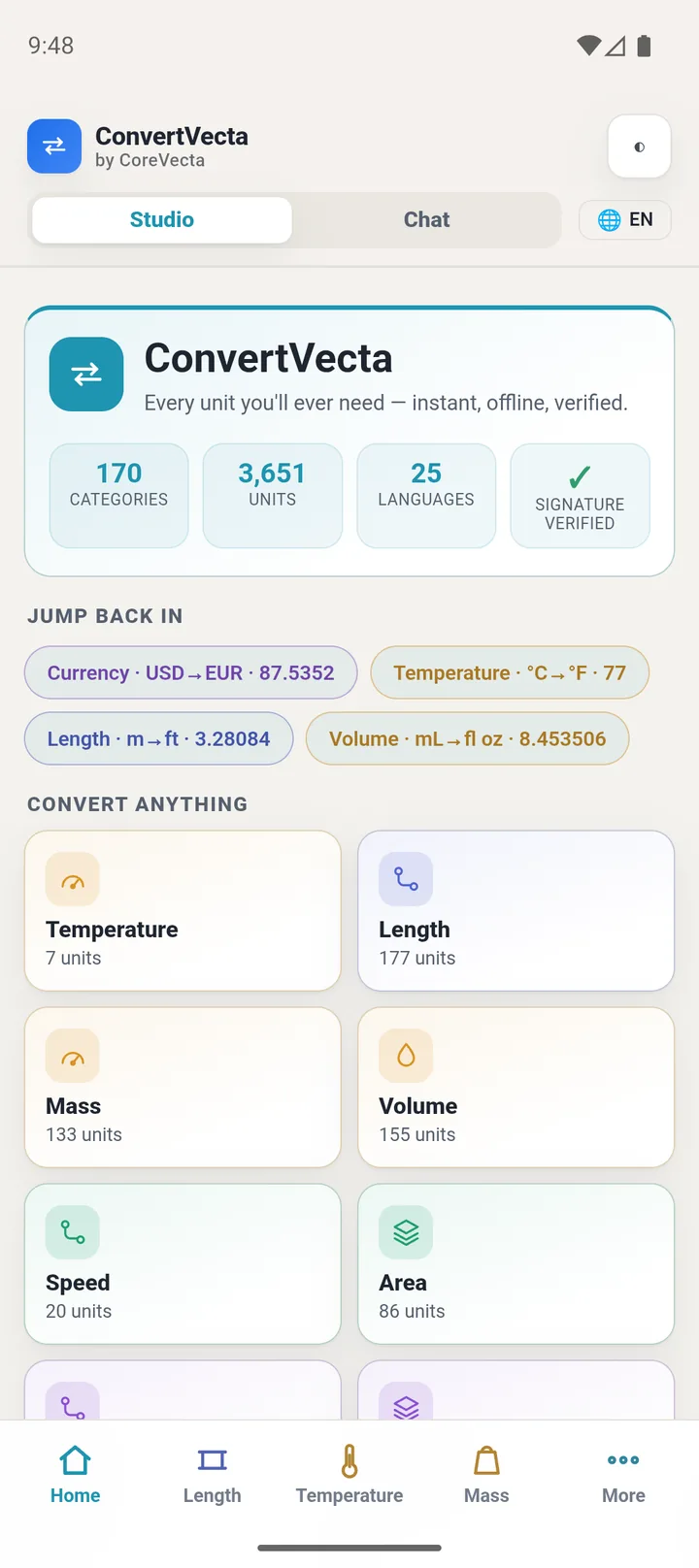
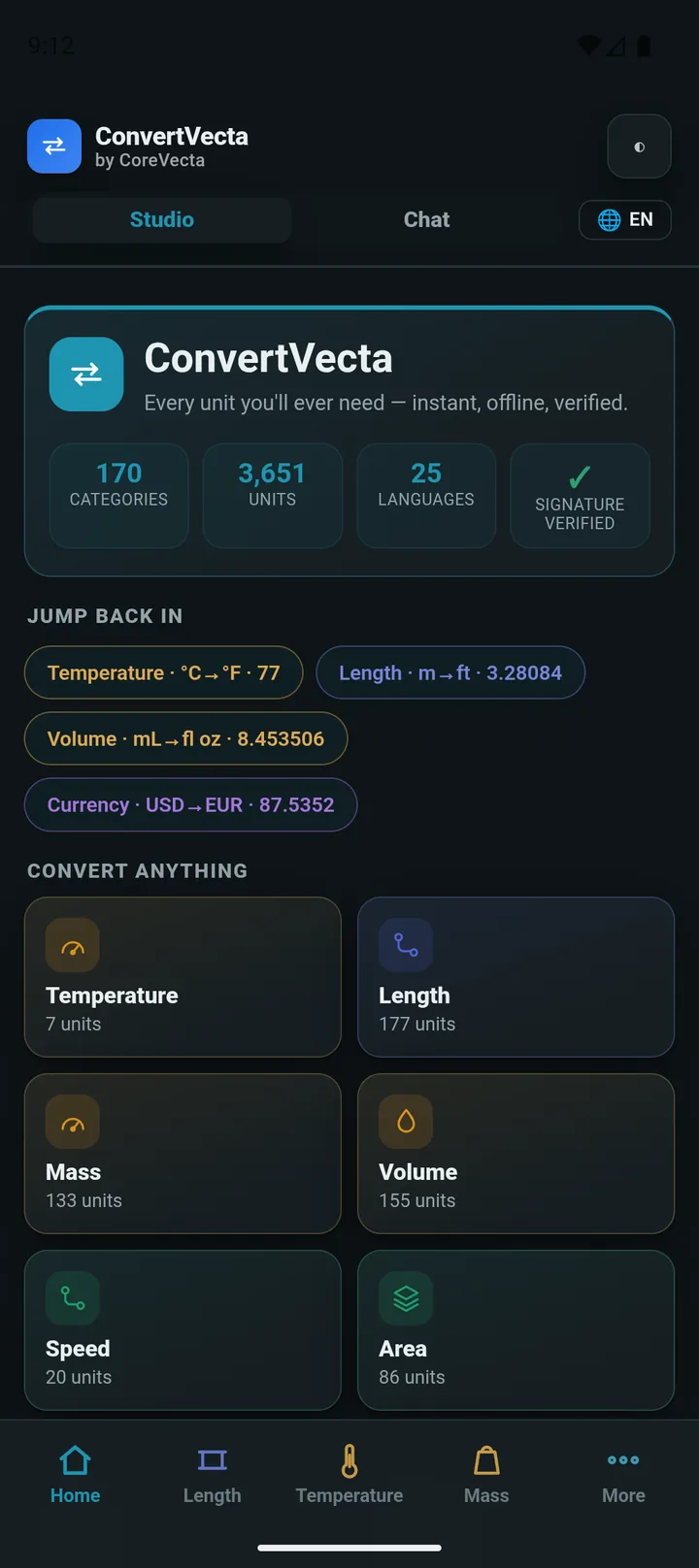
The Home hub: 170 categories, 3,651 units, 25 languages and a verified signed pack - the whole atlas one tap away, with your recent conversions ready to resume.
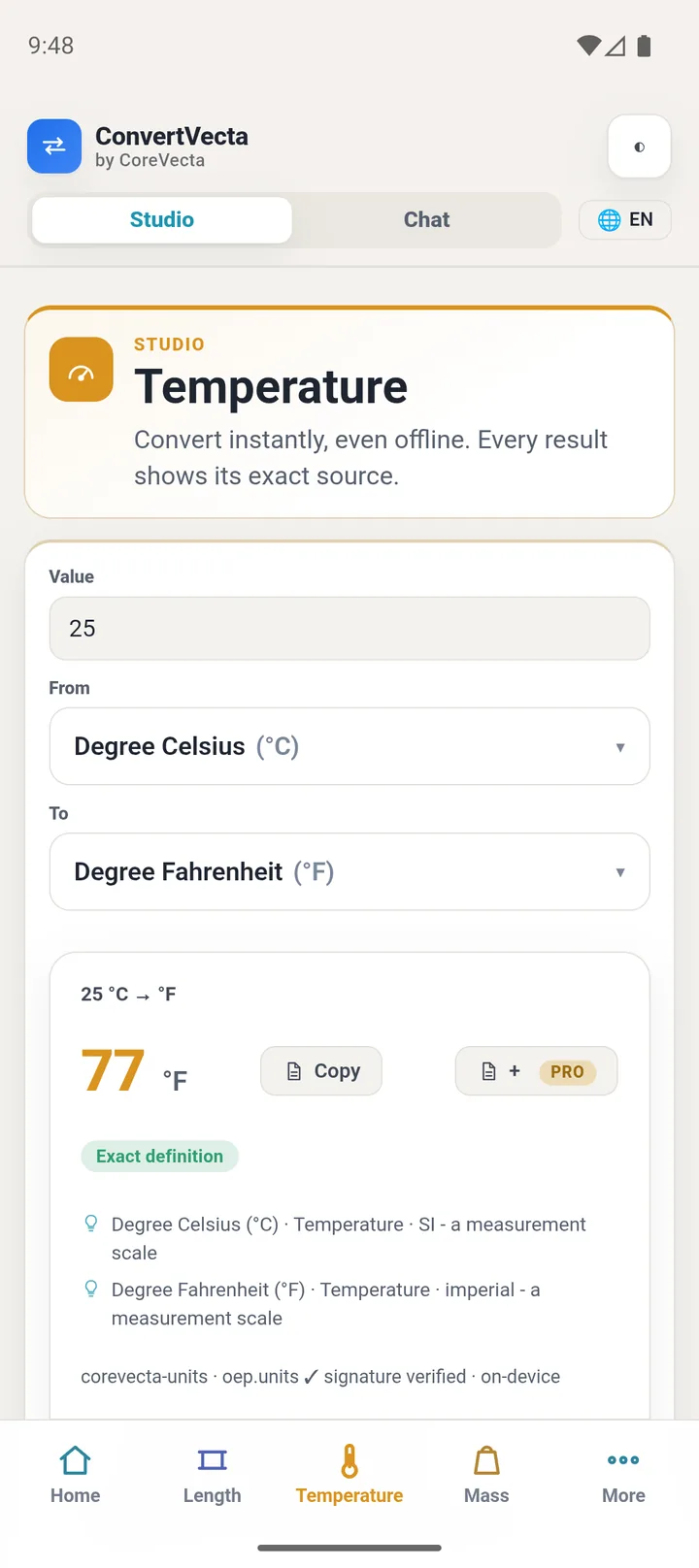
Studio: 25 °C → 77 °F with the exact definition of both scales underneath. Every result carries a precision label and its source - on-device, offline.
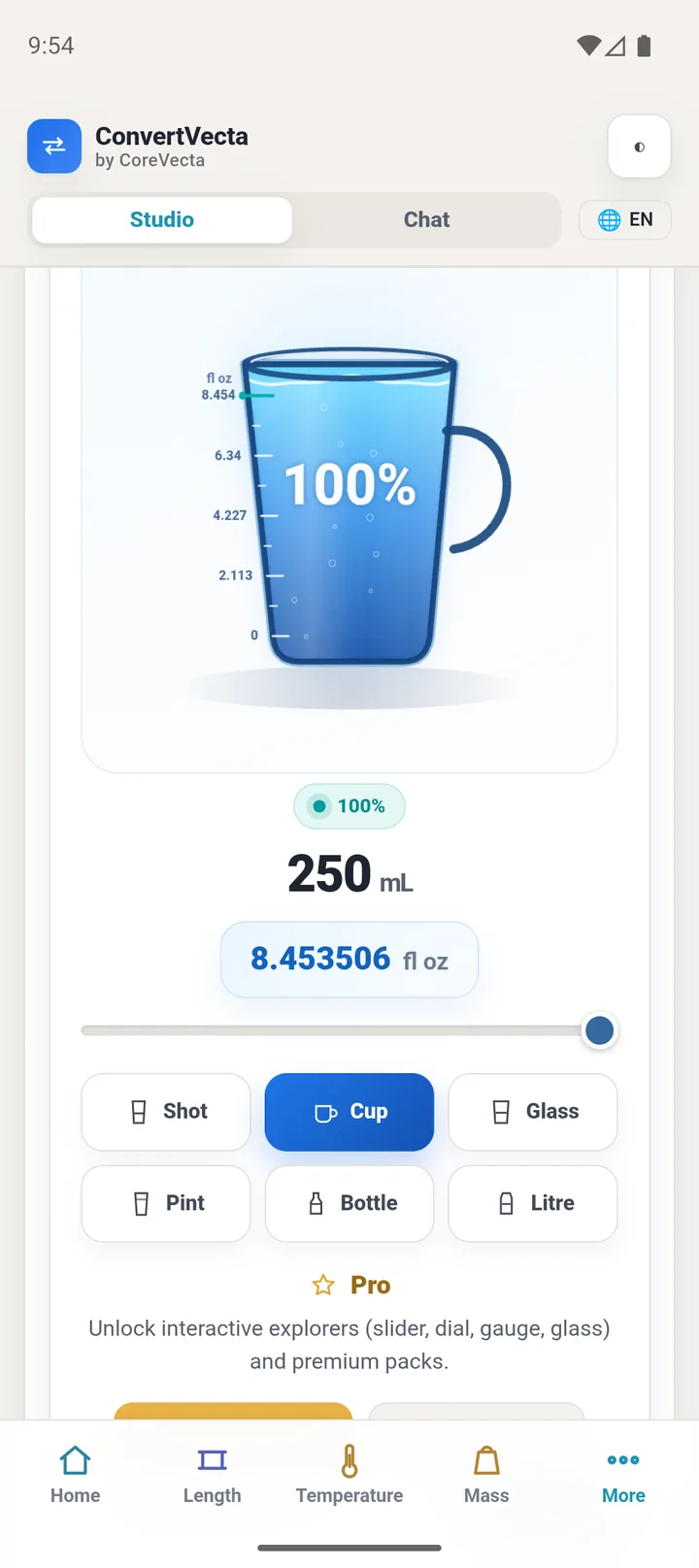
See it, don't just read it: pour 250 mL into a cup and watch it fill. Interactive explorers (glass, ruler, dials, gauges) are the one-time Pro upgrade.
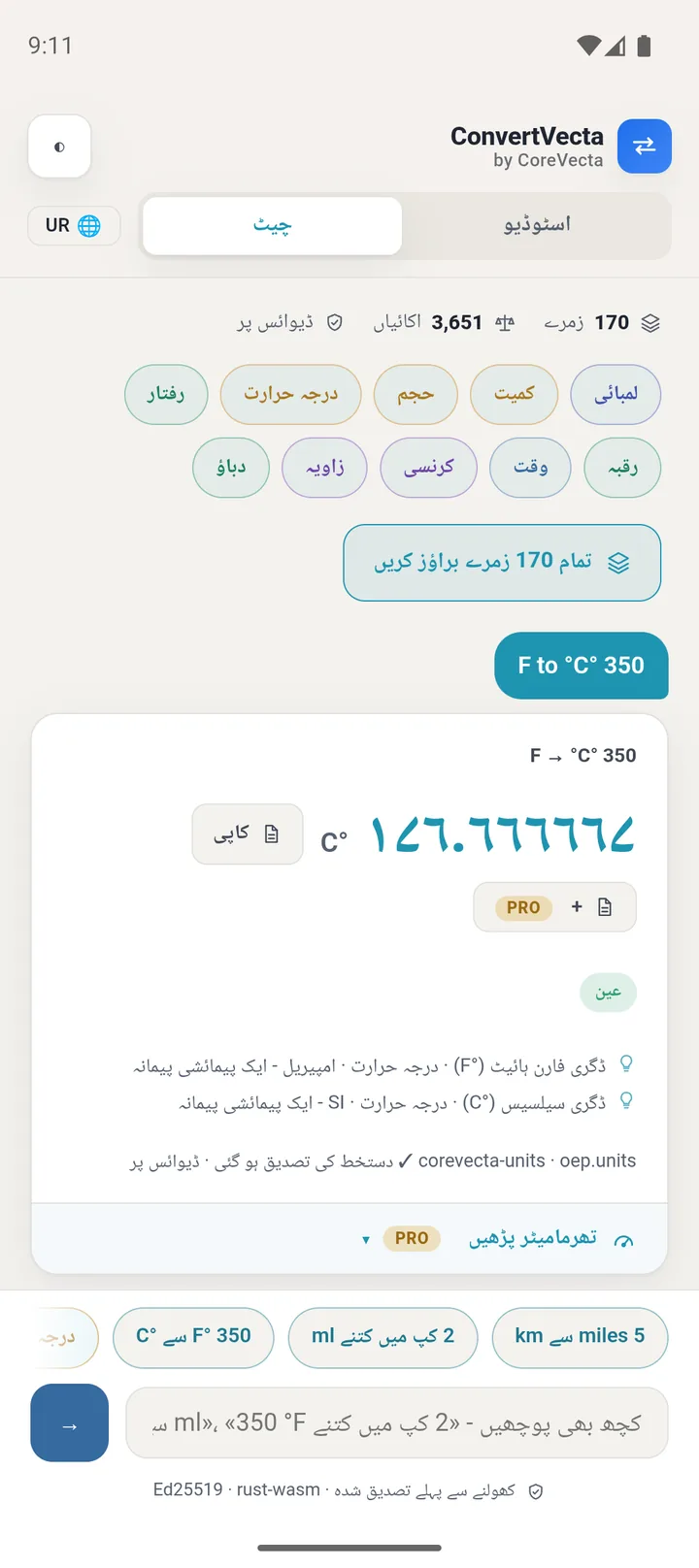
Ask in plain words - in Urdu, with full right-to-left layout and Urdu-Indic digits. 25 languages ship with the app; the parser understands every one of them.
Dark mode across the whole app - the same color-coded categories, easy on the eyes.

What it does

Far more than a unit converter

170 categories and 3,651 units across seven conversion models - linear, affine (temperature scales), reciprocal (fuel economy), logarithmic (dB, pH), number bases, lookup size charts, and algorithmic (Roman numerals, colour, encodings). Plus an expression calculator: “5 ft 3 in to cm”.

Time zones & 11 calendars

A DST-correct world clock across 52 cities - drag one anchor to plan a meeting across zones. And one date in every calendar: Gregorian, Julian, Hijri, Persian (Jalali), Hebrew, Indian (Saka), Coptic, Ethiopic, ISO-week, Mayan Long Count and Chinese lunisolar.

Honest by construction

Every result carries a precision label. It refuses to fabricate - won’t turn metres into kilograms, won’t guess a cooking conversion without a density, and labels currency as a dated reference rate, never a live feed. If it can’t be answered honestly, it says so.

Private by default

On-device: no accounts, no analytics, no ads, and conversion inputs never leave the device. Android uses the network only when needed to verify or restore an optional Pro purchase and enforce refunds. The Chrome extension requests zero permissions and updates only through the store. The conversion engine is a cryptographically signed pack that opens only after an integrity check.

Beautiful, interactive, multilingual

Explore answers with premium instruments - a fillable glass, a dual-scale ruler, dials, gauges, a world-clock board and a calendar board - in 25 languages with full right-to-left support.

User guide

The complete guide to the shipped app. Every chapter describes behavior as released; tap a chapter to expand it.

1Getting started

Install ConvertVecta from Google Play and open it. The app verifies its signed data pack before anything else loads; the first screen is the chat box, ready for your first request.

There is no account, no sign-in and no setup wizard. Language and unit-system defaults come from your device settings and can be changed at any time from the menu.

  1. Install from Google Play and open the app.
  2. Type a request the way you would say it, for example: how many ml in 2 cups.
  3. Read the answer card; tap it to see the conversion detail.
  4. Open the menu to adjust language or unit system if the defaults are not what you want.
2Asking in plain language

Type requests the way you would say them: how many ml in 2 cups, 350 F to C, 3pm Karachi to Los Angeles. The parser reads quantities, units, places and times from natural phrasing in your selected language.

If a request is ambiguous or outside the atlas, the app says so instead of guessing. Every answer traces to the signed units atlas, and the conversion detail shows exactly which units and factors were used.

  • Quantities accept fractions and decimals: 2.5 cups, 1/3 yd.
  • Unit names, symbols and common spellings all work: milliliter, ml, millilitre.
  • Chained requests work within one category: 5 km in miles then in feet.
3Units and unit systems

The atlas covers 170 categories and 3,651 units, from everyday length, mass and temperature to engineering, historical and regional systems. Browse the full catalog from the categories tab, or just ask.

The app pre-selects metric or US customary from your device locale. Change the system any time in settings; your choice is stored only on this device and every displayed conversion still runs through the verified engine.

4World clock and time zones

Time conversions are DST-correct: 3pm Karachi to Los Angeles accounts for both zones' rules on the date you mean, not just a fixed offset.

Ask with city names or zone abbreviations, and include a date for past or future conversions where daylight-saving boundaries matter.

5Calendars

Eleven calendar systems convert both ways, including Gregorian, Hijri, Persian and other regional calendars, each within its documented date bounds.

When a date falls outside a calendar's supported range the app refuses with the bound stated, rather than extrapolating.

6Coordinates, colour, encodings and sizes

Coordinate tools convert between common geographic formats. Colour tools convert between the usual colour spaces. Encoding tools cover number bases and text encodings, and size charts map clothing and shoe sizes across regions.

All of these run on the same on-device engine and the same refusal-first rules: unsupported inputs get a clear refusal, never a guess.

7Currency snapshots

Currency conversions use a signed exchange-rate snapshot bundled with the app. Every snapshot is cryptographically verified before use and its date is always shown with the result.

The snapshot ships with the app and updates with app releases; there is no in-app rate fetch. Rates are never presented as live market data; for transactions, check a live source.

8Languages, RTL and numerals

All 25 languages ship free, with full right-to-left layout for Arabic, Urdu, Persian, Sindhi and Hebrew. Numbers render in your language's own numerals.

Switch languages live from the menu; the interface flips immediately with no restart. Unit symbols stay in their technical form in every language.

9Pro instruments

Pro is a one-time purchase that unlocks interactive instruments: a comparison glass, ruler, dials, gauges and boards for exploring and comparing conversions visually.

Everything else in this guide is free. Pro adds ways to see and compare; it never changes the math, and there is no subscription.

10Packs

Packs add themed content on the same verified rails. Each pack is signed and the app verifies it before it opens; a pack that fails verification never loads.

The units atlas pack ships with the app. Additional packs appear in the app's pack screen as they release.

11Privacy and offline use

Inputs and calculations stay on your device. No accounts, analytics, trackers, or telemetry; optional purchases use receipt verification and revocation checks.

The whole engine works offline. The only optional network action is verifying or restoring a paid upgrade. See the privacy policy for the full statement.

12Troubleshooting and support

If the app answers with a refusal, it is telling you the request is outside what it can verify: an unknown unit, an out-of-bounds date, or a snapshot issue. The refusal text names the reason.

For anything else, email support@corevecta.com with your app version (Settings, About) and the exact request you typed; that is usually enough to reproduce the case directly.

Knowledge packs

The catalog as it actually stands. Packs ship to users only after their expert review clears.

Pricing shape

Free

All everyday conversions, every category and calendar, the world clock, and honest precision labels - on-device, no account

Free means free: no account, no trial clock, nothing expires.

Paid

  • One-time Pro: the interactive explore instruments (glass, ruler, dials, gauges, and boards). No subscription.

Final prices land per market at launch. What you buy keeps working offline, forever.

Questions

Does it work offline?

Yes for all conversions. The engine and its data run on your device as WebAssembly (Chrome) or native Rust (mobile). Android needs a connection only to buy, restore, or validate an optional Pro purchase.

Are currency rates live?

No, and it never pretends they are. Currency converts from a bundled, dated, clearly-labelled snapshot of reference rates. The rate you see is always dated and never presented as live.

Is the Chinese calendar accurate?

It’s astronomically generated and verified against documented Chinese New Year dates and leap months for 1900–2100, then shipped as a bounded table that refuses dates outside that range rather than guessing.

The CoreVecta promise

ConvertVecta keeps calculator inputs and working history on your device. Optional purchases are handled by the purchase channel, and minimal license identifiers may be processed only to issue, restore, refund, or revoke offline licenses. Knowledge packs state their review status on their face before they are used by the app.

← All apps